

When Anthropic launched Claude Cowork in January this year, we rolled up our sleeves and built a course to get every person on the Airtree team using it. After a 1-hour session, people across the team were automating time-consuming tasks they’d been doing manually for years.
Now we’re sharing that course with you.
This is the same beginner-friendly material our team worked through, tailored to anyone who wants to start using AI in their day-to-day without needing a technical background.
It will take you about an hour, but you’re welcome to go down any rabbit hole you find interesting. If you get stuck, just ask the AI itself. It’ll teach you as you go.
This course is the next iteration of our Open Source VC content library—where you’ll already find templates and operator interviews, and now resources that help you skip the AI experimentation phase and get straight to using and building with it.
We’d love to hear what you think of the course and whether it was useful. Feel free to share your thoughts with us on LinkedIn, X or shoot me an email (marnix@airtree.vc).
Set up guide
- Sign up for a Claude Pro Licence (currently US$20 per month).
- Download Claude for desktop and set up/sign in with your Claude account.
- Check that you can see the Cowork mode in the top centre of the interface.
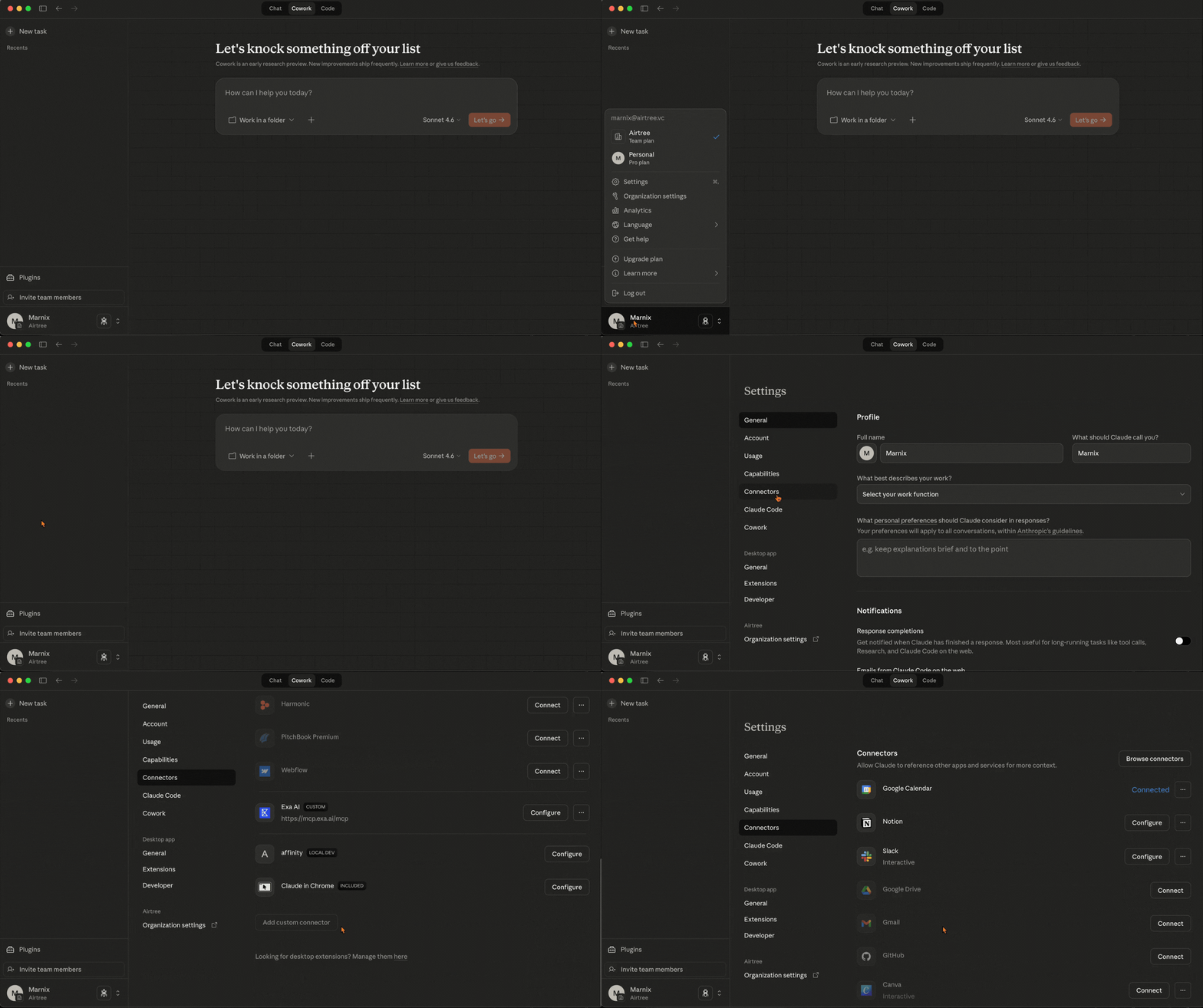
- Click your name in the bottom left > Settings > Connectors and connect any tools that you are using and would allow Claude Cowork access to (e.g. your calendar, email, Slack, Notion etc.).
To start the course
1. Select Cowork in the top middle selector.
2. Select the course folder that you have downloaded here.
.gif)
3. Select the Sonnet Model
4. Type Read START-HERE.md and run the course.
.gif)
Course outline
3 lessons + 1 bonus lesson:
- Lesson 1: Reading and organising folders
- Lesson 2: Describe the outcome, not the steps
- Lesson 3: Reusable workflows
- Lesson 4 (bonus!): Get connected to where you work
A quick disclaimer: all of this is very new and changing very quickly. We’ll do our best to update this as the tools evolve.




AirTree Ventures Custody Pty Ltd holds AFSL No. 544106.

